

Our Verdict
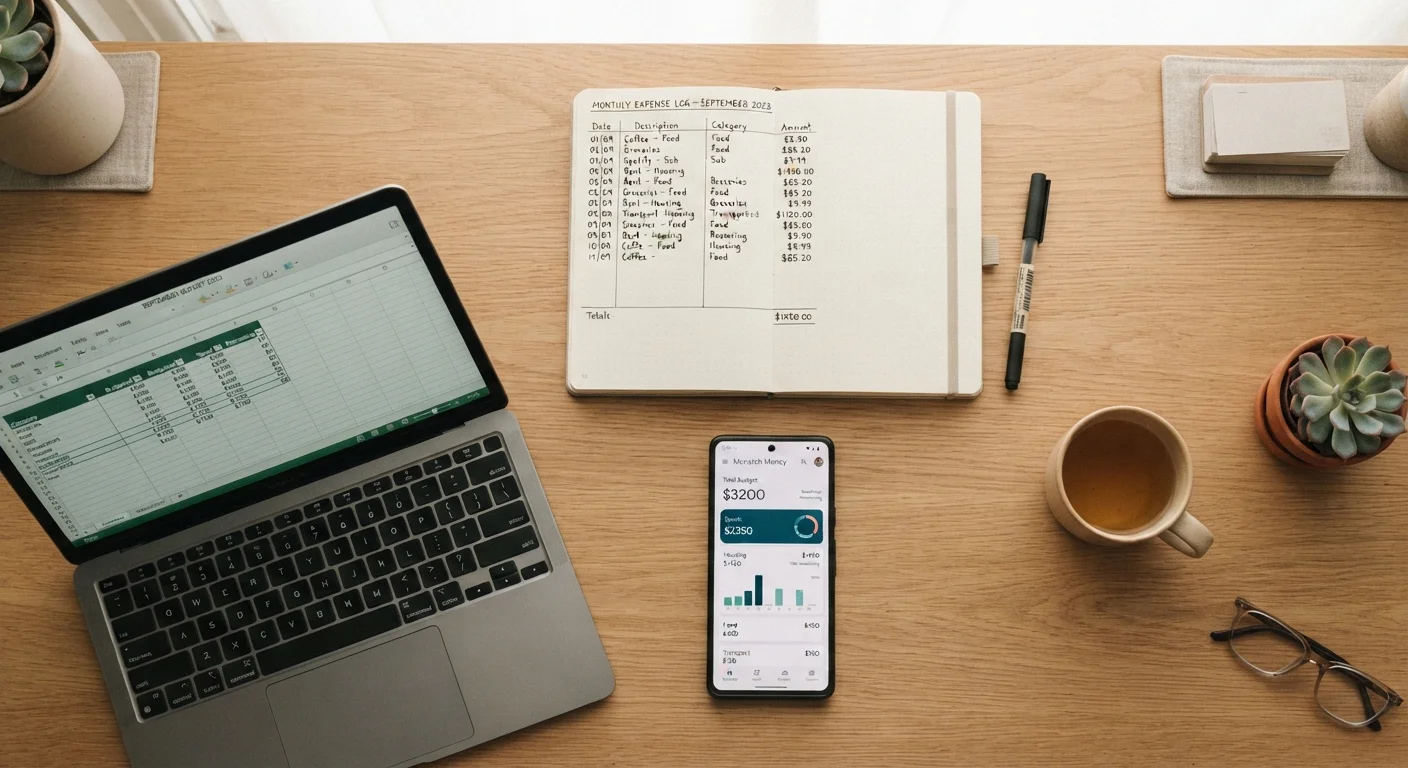
No single spending tracker works for everyone. Spreadsheets suit detail-oriented people comfortable with basic formulas; apps work well for those who want automation and mobile access; paper logs fit people who think more clearly with pen in hand. What matters most is choosing a method you'll return to daily.
| Best for | Recommended |
|---|---|
| Those who want full control and custom categories | Spreadsheets |
| Those who want automatic transaction imports and mobile alerts | Dedicated apps |
| Those who prefer screen-free tracking and value simplicity | Paper logs |
| Those just starting out and building the tracking habit | Paper logs or apps |
Why Your Tracking Method Matters
Knowing where your money goes is the foundation of any working budget. But the tool you use to record that information shapes how likely you are to keep doing it. If your tracker feels like a chore, it collects dust. If it fits your routine, it becomes second nature.
This comparison covers three widely used approaches - spreadsheets, dedicated spending-tracker apps, and handwritten paper logs - across five practical criteria: ease of setup, daily effort, accuracy, flexibility, and privacy. None of them is objectively superior; each reflects a different set of trade-offs.
If you're brand new to the concept of tracking income and expenses, the plain-language introduction to personal budgeting is a helpful starting point before diving into method comparisons.
| Criterion | Spreadsheets | Dedicated Apps | Paper Logs | |
|---|---|---|---|---|
| Ease of setup | Moderate - requires some design | Easy - account sync guided | Very easy - pen and notebook | |
| Daily effort | High - fully manual entry | Low - mostly automated | Moderate - write each purchase | |
| Accuracy | High if kept up to date | High with bank sync | Depends on diligence | |
| Flexibility | Very high - fully customizable | Moderate - template-based | Low - freeform only | |
| Privacy | High - data stays local | Lower - third-party access | Highest - fully offline | |
| Cost | Free to low cost | Free tier or subscription | Near zero | |
| Best for trends analysis | Strong with formulas | Strong with built-in reports | Weak - manual calculation |
Spreadsheets: Flexible but Hands-On
A spreadsheet - whether in a free tool like Google Sheets or a desktop program - gives you a blank canvas. You decide the categories, the formulas, and the layout. That flexibility is genuinely useful: you can track irregular income, split shared household expenses, or build running totals for multiple goals at once.
The drawback is that everything is manual. Every transaction needs to be entered by hand, and if you fall behind for a few days, catching up requires digging through receipts or bank statements. Formulas can also break if you're not comfortable with spreadsheet basics.
Start With a Template to Save Time
You don't need to build a spending spreadsheet from scratch. Many free, community-made budget templates are available through Google Sheets or similar tools - search for 'monthly budget spreadsheet template' to find options. Start with a simple one that covers your main spending categories, then customize it over time as you learn what you actually need to track.
Spreadsheets work best for people who already spend time at a computer, enjoy organizing data, and want a system that's entirely their own. They're also a good fit for tracking irregular or freelance income, where app-based tools sometimes struggle.
Dedicated Apps: Automation With Trade-Offs
Spending-tracker apps can connect directly to your bank accounts and credit cards, pulling in transactions automatically. That removes the burden of manual entry for most purchases, and many apps categorize transactions on their own - flagging groceries, gas, and subscriptions without you lifting a finger.
The appeal is real-time awareness. You can check your spending on a lunch break and see exactly where you stand against your monthly limit for dining out. Many apps also send alerts when you're close to a category threshold.
The trade-offs: apps require you to grant financial account access to a third party, which raises legitimate privacy questions. App interfaces also change, subscriptions get added, and free tiers sometimes limit the most useful features. It's worth reading an app's privacy policy before connecting any account.
For a deeper look at how digital tools compare with more traditional envelope-style budgeting, see the article on envelope budgeting and digital spending categories.
Paper Logs: Simple, Private, and Tactile
A small notebook or printed template where you write down every purchase is the oldest tracking method - and it still works. Writing things down by hand forces a moment of conscious attention that digital entry doesn't always require. Some people find that physical act makes overspending feel more real.
Paper logs are fully private - no data leaves your hands - and they cost almost nothing. They also work anywhere, no battery required.
The limitations are real, though. Totaling up categories means doing math manually or transferring figures to another tool. A lost notebook means lost data. And reviewing spending trends over several months is far harder on paper than in a spreadsheet or app.
Paper logs tend to suit people who feel overwhelmed by digital tools, who handle mostly cash, or who want to build the habit of noticing spending before worrying about analysis. The habits that separate consistent budgeters from those who give up are often simpler than people expect - and writing down purchases daily is one of them.
Making Your Choice and Sticking With It
The most important decision isn't which method is objectively best - it's which one you'll actually return to tomorrow. Give your chosen approach at least a full month before judging it. Most people abandon a new system in the first two weeks, often before it has a chance to become routine.
If you're building a broader budget alongside your tracker, building a budget that holds up to real life offers a practical framework for putting the numbers your tracker collects into a working spending plan. And once you've tracked a full month, the monthly budget review checklist can help you turn that data into actionable decisions.
Tracking spending is also closely connected to building savings and managing debt. The Saving & Debt hub covers both areas once you have a clearer picture of where your money goes each month.
This article is for general informational purposes only and does not constitute personalized financial advice. Consider speaking with a qualified financial professional about your specific situation.
The content provided on our blog site traverses numerous categories, offering readers valuable and practical information. Readers can use the editorial team’s research and data to gain more insights into their topics of interest. However, they are requested not to treat the articles as conclusive. The website team cannot be held responsible for differences in data or inaccuracies found across other platforms. Please also note that the site might also miss out on various schemes and offers available that the readers may find more beneficial than the ones we cover.